The most useful thing AI did on my last shoot took about 20 minutes to build and got taped to a light stand.
Before the first guest walked in, I used Claude to put together a pose menu — five options, each with a name and a short description. Names that were memorable. Slightly playful on purpose. The whole thing printed on two sheets of paper and zip-tied to a light stand near where people naturally waited before stepping in front of the camera.
Then the event started. Guests walked over and read it. Some ran through every option. A few laughed at the names. Most pointed at something and said, "I want to do that one." Nobody stood there with that particular expression that means they've never done this before and they've already decided they're bad at it.
That was the problem I was trying to solve.

AI can help photographers improve corporate event headshots by handling the prep work that makes the session better before the camera fires. In this case, that meant building a pose guide — a printed tool guests could read, choose from, and occasionally laugh at. The result was faster sessions, less awkward pauses, and a first conversation that started from something instead of nothing. The AI did the prep. The photographer did everything else.
What AI did: Drafted a pose guide that became a physical tool on set.
What changed: Guests relaxed faster, sessions opened with a choice instead of a blank ask, and the photographer had a shared language with every person who stepped in.
What AI didn't do: Replace direction, lighting, judgment, or the quiet read of the room.
The Thing About Corporate Event Headshots
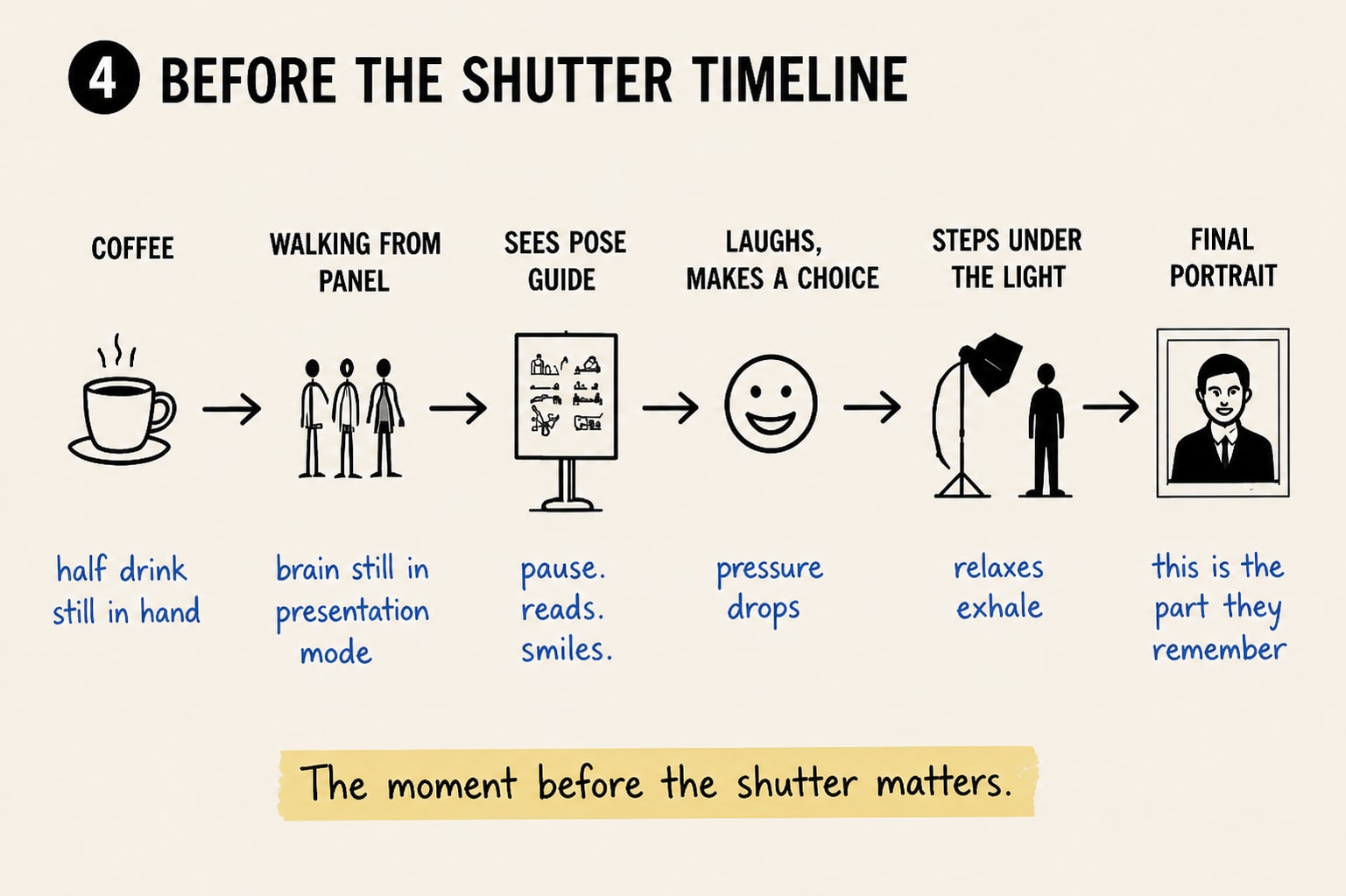
Corporate event headshots run fast by design. People are between sessions — coming off a panel, heading to a networking break, still holding a coffee they haven't quite finished. They have two minutes. The headshot setup wasn't on their radar until this morning. And now someone is asking them to stand under a softbox and look natural, with zero context for what that actually means.
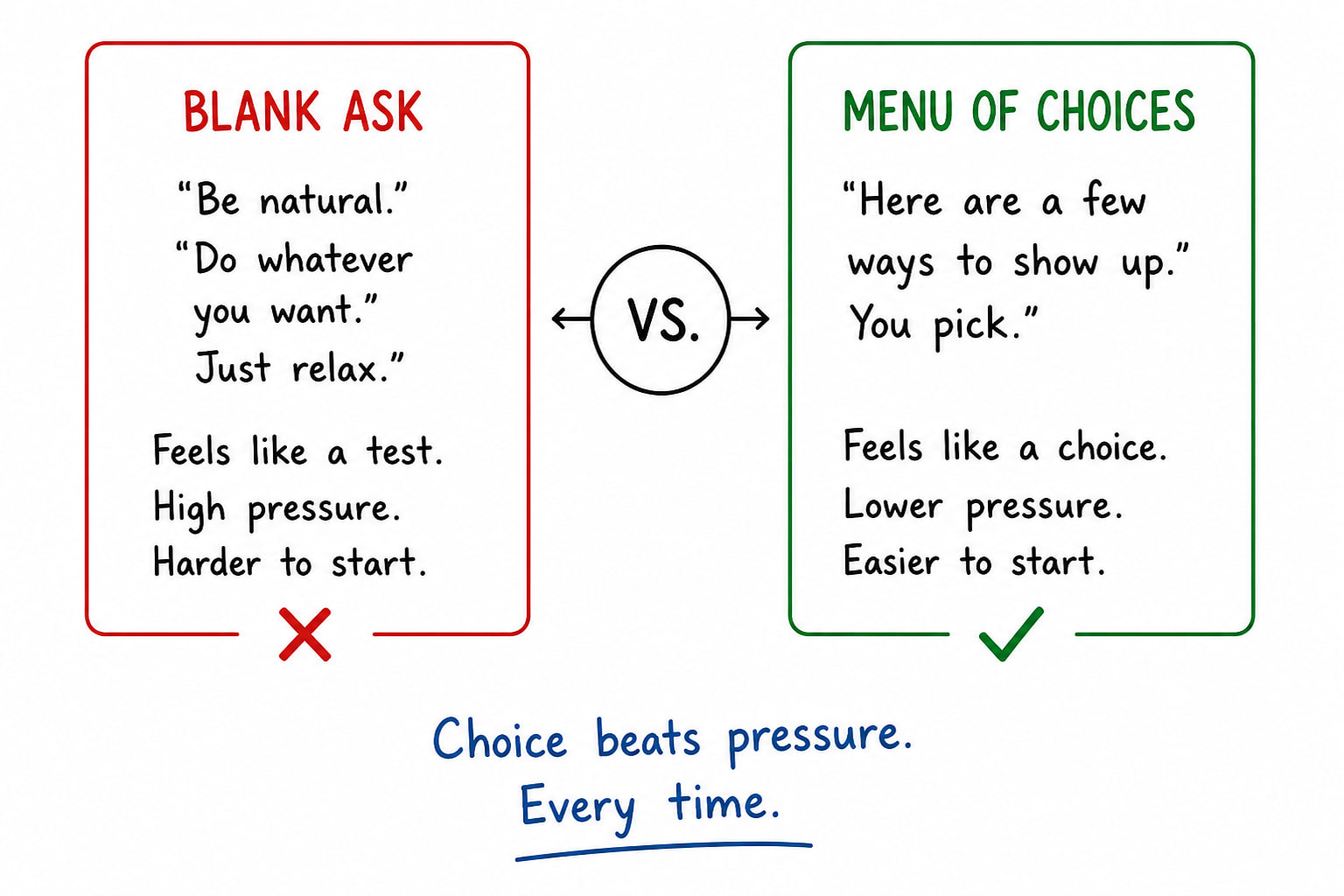
That blank ask is the problem. Most people have never had to construct confidence from nothing. They don't have a vocabulary for posing. They've never needed one. And there's something specifically unnerving about being asked to perform naturalness in front of a camera you've just met, in a room you've just walked into, for a photo that's going to live on LinkedIn for the next two years.
An AI-assisted photography workflow is a production process where AI supports planning, organization, or creative prep — while the photographer keeps full control of direction, lighting, composition, and final judgment. That's the full extent of the AI involvement here. Claude built the tool. I used it on set.
What Actually Changed
The difference showed up in the first two minutes.
Guests started walking up to the stand on their own, before I called them over. That didn't happen at the last setup without the guide. People saw the options, read through them, and made a decision on their own time. The first thing anyone said wasn't "what do I do?" It was "I want to do the third one." That's a completely different conversation to start from.
A pose menu works where a blank ask doesn't because it changes what you're asking someone to do. You're not asking them to perform confidence. You're asking them to make a small choice between options that someone already decided were reasonable. That's a different cognitive task, and it lands differently in the body. People breathed differently. They moved into the frame instead of stepping in nervously and looking at me for instruction.
Here's where Claude's contribution stops: it gave me a draft list of poses with names and brief descriptions, fast and without friction. I edited it. I printed it. I taped it to the stand. Everything after that was real-time — the adjustment when someone's posture read closed, the quiet suggestion to drop a shoulder, the decision to stop and let a moment happen instead of chasing the pose I'd planned. None of that got automated.
The guests who laughed at the pose names always had the best sessions. The laugh was the break. You can work with an open face.
The version of the AI conversation that bores me is the one about replacement — replacing the photographer, the editor, the eye. That's not what I'm watching and it's not where this is going.
The version I'm actually interested in is smaller and more useful. It's the one that helps you build things that didn't exist before — things that make the experience better for the person on the other side of the camera, and that you'd never have found time to build without it. The pose guide took 20 minutes. Without Claude, I'd have either not built it or built a worse version more slowly.
The final images mattered. They always do. But there was a moment before each one — where the person stepped up to the light and decided if this was going to feel like an audition, or if someone had thought about them before they arrived. That moment matters too. It's where the actual picture starts.
For corporate events with on-site headshot setups, we think through what the first 30 seconds looks like from the guest's side, not just what the lighting looks like from ours. The guest experience is part of the production. It's worth planning for the same way you'd plan a shot list or a lighting diagram. And sometimes that planning takes 20 minutes and lives on a piece of paper taped to a stand.
Planning a corporate event with headshots?
Core Visuals builds the setup around the people coming into it — not just the camera. Tell us about your event.
Start a ConversationThe short version of this story is on my LinkedIn — that's where these ideas show up first, before they make it into a full post.
Frequently Asked Questions
How can AI help with corporate headshot photography?
AI supports the prep work that happens before the session. In this case, it helped build a pose guide — a simple visual menu that gives guests a starting point and gives the photographer a shared language. Nothing about the shoot itself changes. The tool changes the 30 seconds before it.
Does AI replace the photographer in a headshot session?
No. The photographer controls direction, lighting, composition, timing, and the human read of the room. AI helped build a prep tool. Every creative and relational decision on set stayed with the photographer.
Why do pose guides help people relax during headshots?
A pose guide removes the blank-slate pressure. Instead of asking someone to "be natural" with no context, it gives them a small choice. That first choice breaks the awkward pause. The photographer can adapt from there. See also: how to prepare your team for event photography for more on reducing friction before a shoot.
What should photographers include in a pose guide for corporate events?
Keep it short — 4 to 6 options. Visual reference helps. Name the poses in a way that's memorable and slightly playful. Place it where guests naturally wait, not where the camera is. The goal is a first choice, not a comprehensive catalog.